 Timeline Gallery for X
Browse X. See the media.
Skip the clutter.
A lightweight Firefox extension that shows the photos and videos from your X bookmarks and timelines in a clean, full-screen gallery you can step through with the keyboard.
How it works
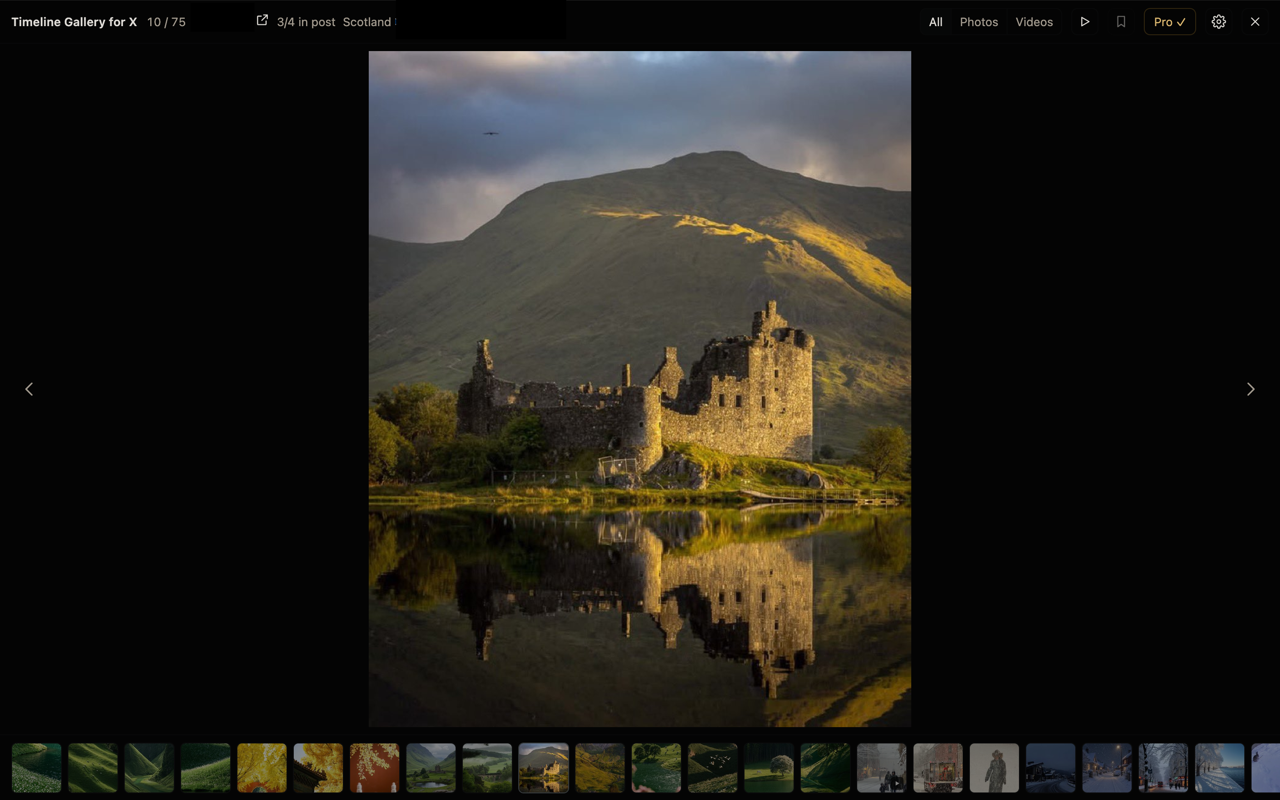
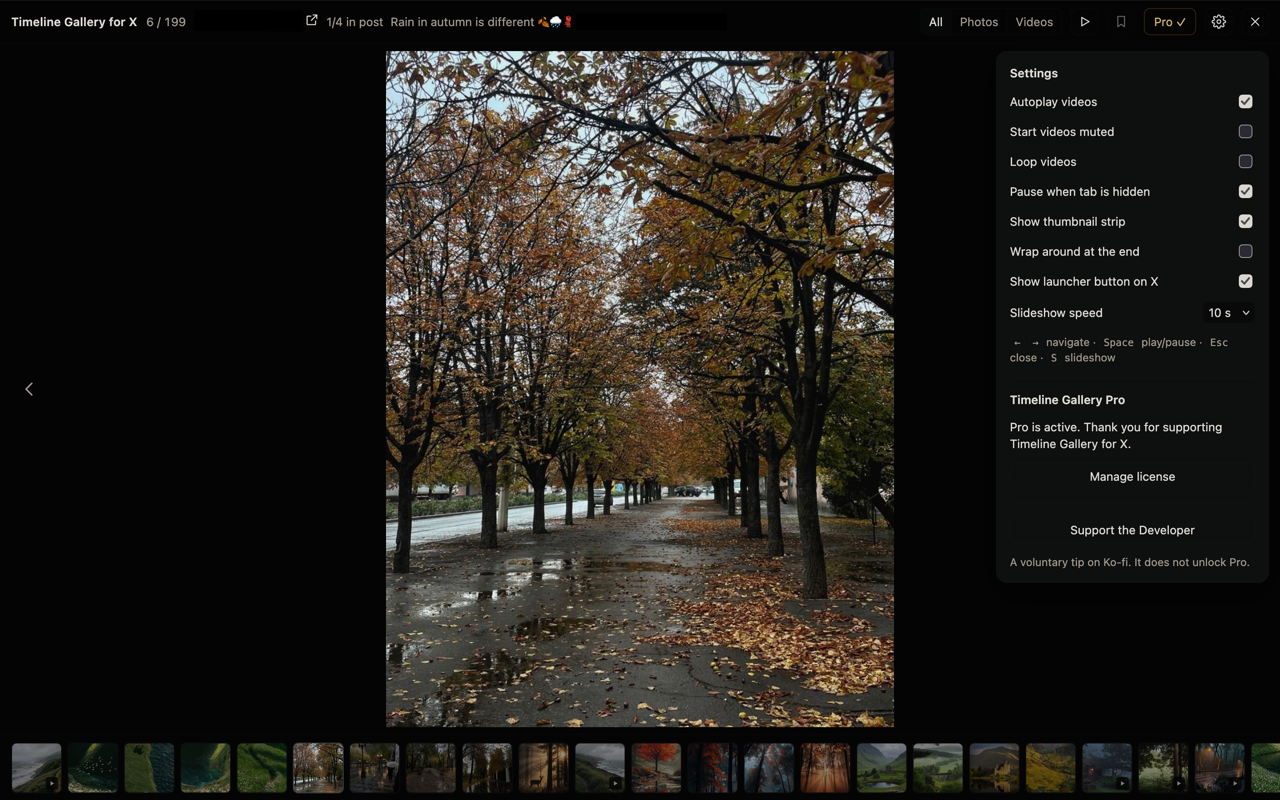
Open X in Firefox and go to your bookmarks, home timeline, a profile or a search. Press Alt+Shift+G, click the toolbar button or use the small grid button on the page. The gallery collects the photos and videos already loaded on that page and shows them one at a time. Use ← → to move, Space to play or pause, and Esc to close. Scroll past the end and X loads more.
Features
Full-screen gallery
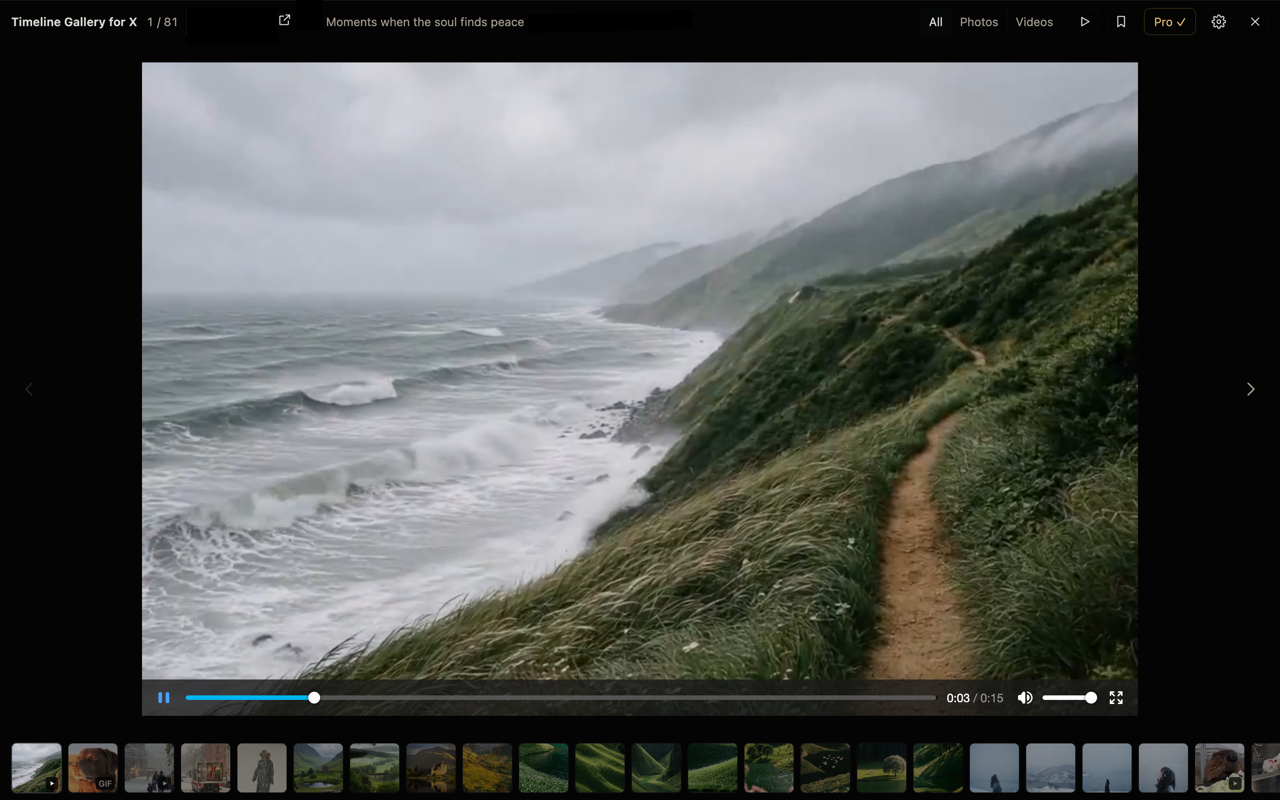
Photos and videos from the X page you're on, shown one at a time on a plain dark background.
Keyboard navigation
Arrow keys, Space, Home/End and Esc, plus mouse wheel and on-screen buttons. No limit on how many items you browse.
Video playback
Videos play inside the gallery, and only one plays at a time. When you move on, the previous video stops.
Media thumbnails
A thumbnail strip with photo and video previews. Click any thumbnail to jump to it.
Bookmark or open the post
Bookmark the current post with X's own bookmark button when the post is loaded on the page, or open the original post.
Pro · Slideshow
Sit back and let the gallery advance by itself. Photos stay up for 3–20 seconds, and videos play to the end before it moves on.
Pro · Photo/video filter
Show only photos or only videos and GIFs from the page you're on.
Pro · Thumbnail browsing
A full thumbnail strip of every item that you can scroll through with the mouse wheel, trackpad or by dragging.
Pricing
The core extension is free. Pro is an optional one-time purchase.
Free
The full gallery, keyboard navigation, video playback and the thumbnail strip, with no item limits.
Pro
Lifetime access to the slideshow, the photo/video filter and the full thumbnail browser. No subscription and no account. One license key works on up to 5 installations.
- Sold through Polar, our payment provider and reseller (merchant of record).
- Pro becomes available with the first public release.
Availability
Timeline Gallery for X is being prepared for its first public release on Firefox Add-ons (addons.mozilla.org). It needs Firefox 140 or newer. Other browsers are not supported yet.